Running embeddings in the browser: what it actually costs
How far a 1.58-bit model can go before retrieval breaks, and what 7 MB of on-device embeddings actually buys you.

The engineering I keep coming back to has a certain shape to it. Not the biggest systems or the cleverest algorithms, but the ones that thread a single narrow solution through a number of constraints that all seem to be pulling in different directions. SQLite is the canonical example: zero dependencies, one file, public domain, small enough to embed in a phone or an aircraft and complete enough to be a real database underneath both. The Apollo Guidance Computer ran the real-time navigation for a Moon landing on a few kilobytes of memory. A mechanical watch packs a self-contained, surprisingly accurate timekeeper onto your wrist, running on nothing but a wound spring.
What I find interesting about all of these is that the good move is rarely to accept the limits a tradeoff seems to impose. It’s to find the one narrow region where the constraints overlap, and, more often than people expect, to move that region somewhere it wasn’t supposed to be able to go.
So I wanted to ask that question of a modern ML artifact. How small and fast can
you ship a sentence-embedding model that is still genuinely useful? Surprisingly,
the requirement that makes it an actual knot rather than a tradeoff slider: zero
dependencies. No model server, no Python runtime, no GPU, no API key. Just
npm install and it runs where the user already is.
Every requirement you add tightens the others. Small fights quality. Fast fights small. Zero-dependency fights all of them at once, because now the engine, the tokenizer, and the weights have to arrive as one artifact the browser fetches exactly once.
Where it all ended up is an embedding model packaged in 7 MB, ~5 ms per embedding on CPU, 0.84 Spearman against its teacher. This has been a special project that touched every layer I’d worked on at once, where the interesting part was the trades between them, not any single one.

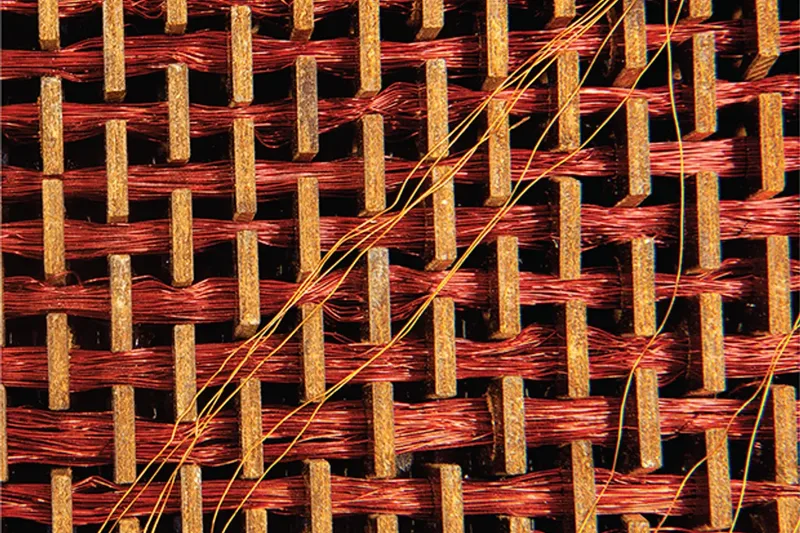
Apollo’s guidance code was a “rope memory,” woven by hand: a wire threaded through a magnetic core stored a 1, around it a 0. A whole program you could hold, self-contained, like the watch beside it.
What “on-device” actually demands
“On-device” sounds like a deployment detail. It is really four constraints, and they only all bind at once in a genuinely constrained environment: one that can’t assume the resources a data center hands you for free. A server has a GPU, a warm process already holding the model, and memory to spare. A browser tab, or a small edge device, gets none of that to lean on: no GPU you can count on, nothing you’re allowed to install, one download, and only what the CPU can do. It isn’t that the hardware is weak; it’s that you can’t assume any of it. Strip that slack away and four ordinary-sounding requirements start pulling against each other.
It has to fit. The engine, the tokenizer, and the weights arrive as one artifact, a few megabytes the browser downloads once. No model server streaming weights on demand, no runtime installed on the side. Whatever the model needs, it brings with it.
It has to stay smart. This is the one you cannot fake, so it comes first: an embedding is only worth anything if it actually captures meaning. Distillation can shed a model’s size, but if it also sheds its understanding, everything you saved is wasted: the results it produces are indiscernible.
It has to run anywhere. No GPU to assume, no special hardware, nothing to install: just a ubiquitous runtime that already exists in every browser and on every device. Portable enough to drop straight into the UI.
And it has to be fast there. The first home for a solution like this is a search box, where latency is felt keystroke by keystroke. It has to be performant on a plain CPU, or it doesn’t belong in the interaction at all.
Each is reasonable on its own; holding all four at once is the hard part, and it’s why the tools that dominate elsewhere don’t simply carry over. A full transformer behind an API is a great answer when you have a server to call, it just isn’t on-device. A general runtime like PyTorch or ONNX Runtime Web is built to run almost anything, which is exactly what makes it heavy to ship into a browser tab. The real constraint is not “make the model smaller.” It is “keep it smart while making the whole thing, engine included, small, portable, and fast enough to live in a UI.”
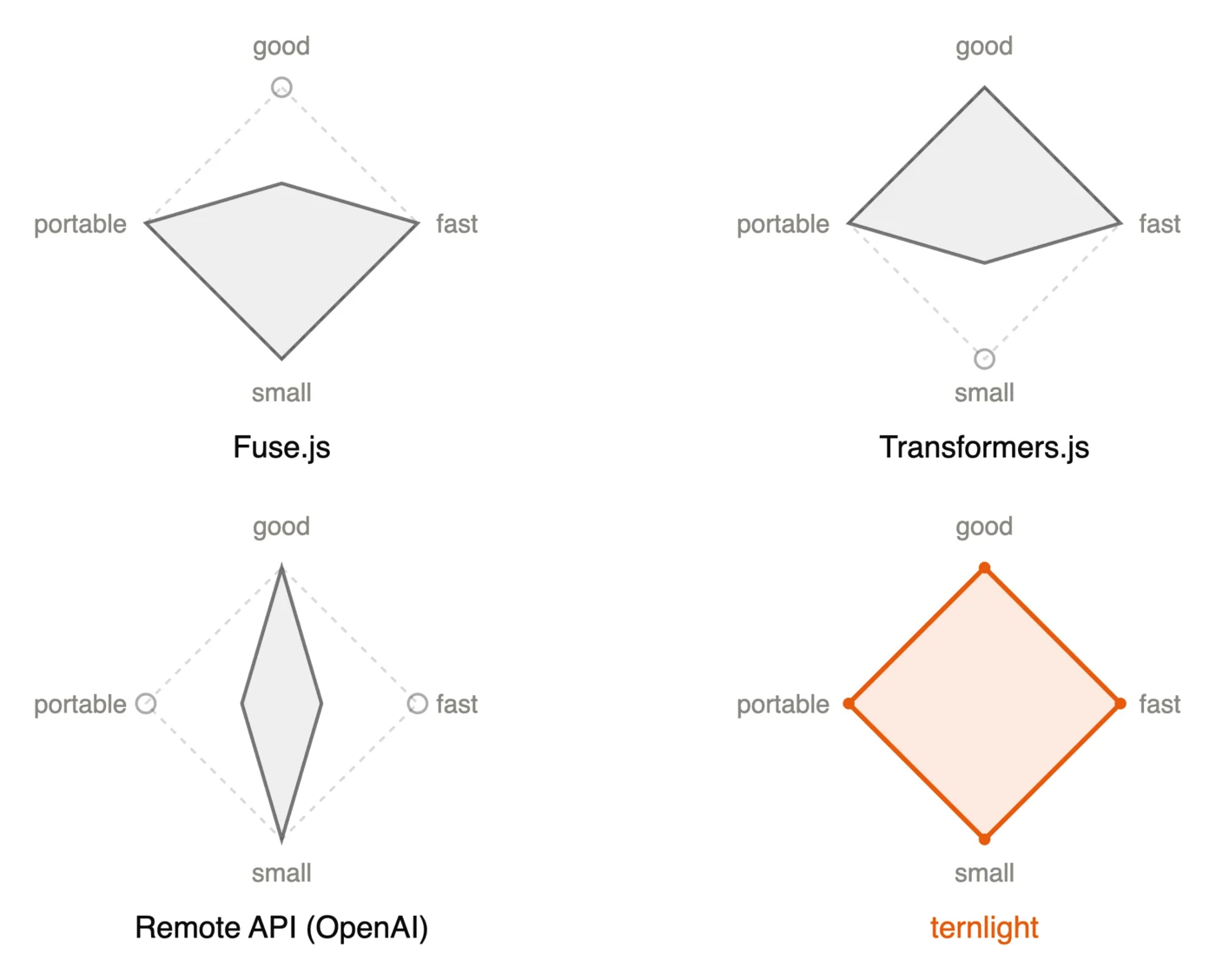
How it’s possible, at a glance
None of this comes from one clever trick. It comes from three levers, each pulled a little, and each with its own follow-up post for anyone who wants the full detail.
The first is the weights. Every linear layer is ternary: each weight is only −1, 0, or +1, trained that way from the start rather than rounded down after the fact. That is where the size goes, a whole model in a couple of bits per weight instead of thirty-two. It is also where the speed comes from, which is the part I like most. When every weight is −1, 0, or +1, the matrix multiply that dominates inference stops needing any real multiplication: it collapses into add, subtract, and skip, exactly the shape a CPU’s SIMD units chew through fastest, many integers in parallel. So ternary is doing double duty, shrinking the model and making it quick on a plain CPU at the same time. Training a network that coarse without it falling apart is a story of its own, and it gets its own follow-up post.
A side-by-side comparison of the same patch of neural-network weights. On the left, fp32 stores each weight as one value from a continuum: orange for positive, ink for negative, opacity for magnitude. On the right, each weight snaps to one of three states: +1 solid orange, −1 solid ink, 0 faint. A legend under each grid maps the colors to values.
every ternary weight snaps to its nearest state, magnitude decides, sign picks the side
The second lever is packing it down. Getting the whole model into a few megabytes you download once is its own craft. The efficiency is in the representation: a ternary weight is one of only three values, so it packs into about two bits rather than a byte, and squeezing thousands of them together is what shrinks a normal-sized network to a few-megabyte download. How the rest gets squeezed is its own follow-up post.
The third is the engine. Rather than ship a general runtime like PyTorch or ONNX and let it dwarf the weights, the whole inference path is written from scratch in Rust and compiled to a single small WASM module. That keeps the download honest and the model portable, and it is where that add-subtract-skip hot loop actually lives, hand-written to keep the CPU’s vector units busy. We’ll talk about the engine in detail in another post.
Here is the part I did not expect. “Small, fast, portable, good: pick two” feels like a law, and if you come from hardware it feels like an especially hard one, where the tradeoff curve is set by physics and the job is only to choose a corner on it. Quantization does not play by that rule. Training a model ternary from the start does not just slide you along the curve, it moves the curve, buying more quality per byte than the fixed-tradeoff allows you. That is the real reason you do not have to pick two here: all four can hold at once.
A scatter plot of model size in megabytes (log scale) against Spearman correlation to the teacher, for five models. The MiniLM teacher sits at 90.9 megabytes and 1.0 by definition; the fp32 student at 38 megabytes and 0.88; and three ternlight variants far to the left between 2.9 and 8.3 megabytes, with the int4 variant the recommended sweet spot at 4.6 megabytes and 0.835. An arrow marks the jump from the fp32 student to int4: about eight times smaller for a 0.05 drop in Spearman.
What it’s for, and where to go next
A quick, honest word on what it is not, so the rest lands. It is English-only, it reads up to 128 tokens at a time, and it will not top a retrieval leaderboard. It is tuned to be small and useful, not to win benchmarks.
What it is good at is the ordinary, high-volume work: semantically search your own docs, matching a question to an FAQ or an intent, finding near-duplicates, privacy-first tasks. With this type of workload, a small model that runs locally beats a higher benchmark number sitting behind an API: no network round-trip, nothing to deploy, and the data never leaves the device.
The way I keep framing it is simple: an upgraded Fuse.js. Something you
npm install and drop into the page, with no service to stand up and no key to
manage, that happens to match on meaning instead of exact text. Pagefind made
full-text search on a static site a one-line install; this is the same idea, one
meaning-level up.
If you want the full technical story, the training, the packing, and the engine, it is all open on GitHub, MIT-licensed, and the answers are in the code. If you just want to try it, that is one line:
npm install @ternlight/baseand it runs in your tab. The training, the packing, and the engine each get their own write-up soon, so stay tuned for the deep dives on how it’s built.

These terns weigh little more than a hundred grams, and cross between hemispheres twice a year.